
When someone needs a new dentist, the decision usually starts on a phone. They search, open two or three clinic websites and Google profiles, and within a minute they have a feeling about each one. Most of that feeling comes from photos and video: the faces of the dentists, the team, the waiting room, the treatment rooms. This guide covers what a Vancouver dental clinic should have, why it matters, and how to plan a shoot without disrupting your patient day.
Why photos and video matter more for dental clinics
Many people feel nervous about dental visits. Before they book, they want to know who will treat them and what the clinic feels like. Stock photos of smiling models do not answer that question. Real photos of your dentists and your space do. They make your clinic look like a real place run by real people, which is exactly what an anxious new patient is looking for.
The same images also do quiet work across every channel: your website, your Google Business Profile, Instagram, LinkedIn, recruitment posts and printed material in the clinic.
The essential shot list for a dental clinic
- Dentist headshots. A clear, friendly portrait of each dentist and specialist, with a consistent background and lighting so they look like one team on your “Meet the Team” page.
- Team photo. The whole team together, dentists, hygienists, assistants and front desk. It shows patients the people they will actually meet.
- Environmental portraits. Dentists at the reception desk, in a treatment room or with your technology. These feel warmer than a plain headshot and work well on your homepage and social media.
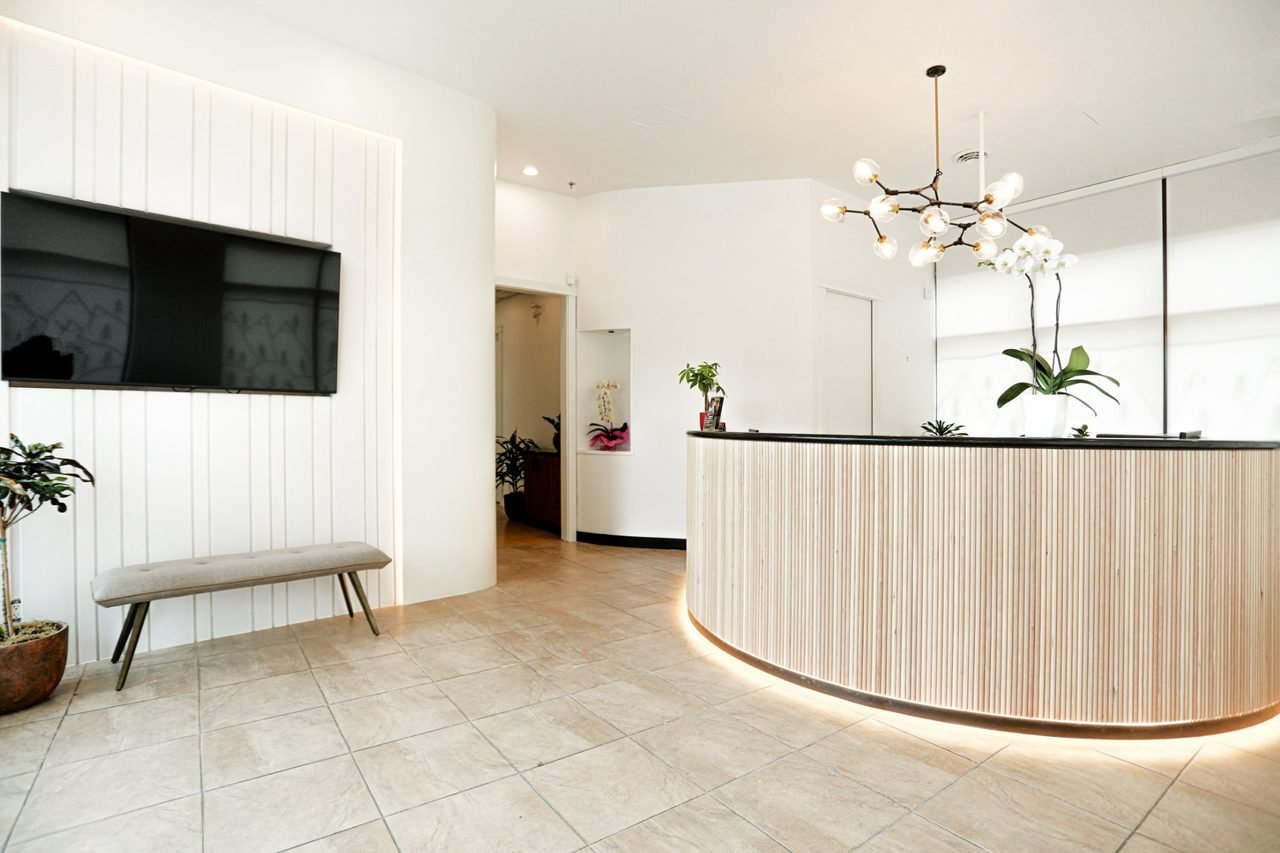
- Clinic photography. Reception, waiting area, treatment rooms and any equipment you are proud of, such as digital scanners or a microscope. Clean, bright interior photos reassure people before they walk in.
- A short clinic video (60–120 seconds). An introduction to your dentists, your team and how you care for patients. It belongs on your homepage and Google profile.
- Short vertical clips. Fifteen to forty-five seconds for Instagram Reels, TikTok and YouTube Shorts: a team introduction, a tour of a room, a dentist answering a common question.
- Patient education videos. Calm, clear explanations of treatments that worry people most, such as implants, root canals, wisdom teeth or sedation. They answer questions before the appointment and save your team time on the phone.
Plan all of this in one visit. A single, well-planned day can produce headshots for every dentist, a team photo, interior photos and footage for a clinic video and several social clips, with a consistent look across all of them.
Know the advertising rules before you film
Dental advertising in Canada is regulated by each province's dental college, and the rules commonly cover patient testimonials, before-and-after images and claims about results. Check your college's current guidance before you publish anything. The safest and most effective content usually focuses on your people, your space and how you work, rather than on patient outcomes. Whatever you publish, your clinic should review and approve it first.
How to plan a shoot around your patients
- Choose the time carefully. Many clinics book the shoot before opening, during a quiet block, or on a day with fewer appointments.
- Prepare the space. Clear countertops, hide cables and personal items, and make sure no patient information is visible on screens or paperwork.
- Coordinate wardrobe. Matching or coordinated scrubs look clean and consistent. Solid colours photograph best.
- Get consent. Only staff who want to be photographed should appear. If a patient appears in any video, get written consent first.
- Plan the shot list in advance so the day runs on time and every dentist knows when they are needed.
Where to use the results
- Website: dentist headshots on the team page, the clinic video on the homepage, interior photos on the location and services pages.
- Google Business Profile: interior photos, team photos and short clips. Real, recent images make a local listing look active and trustworthy.
- Social media: vertical clips and environmental portraits, posted regularly.
- Recruitment: team photos and a short culture video help attract hygienists and assistants as well as patients.
Refresh them when your clinic changes
Update your photos when you add a dentist, renovate or change your branding, and refresh headshots every few years so they still look like the people patients will meet. Outdated photos are one of the easiest things for a new patient to notice.
Luxin Media photographs and films dental clinics across Metro Vancouver, including Dawson Dental Centre in Burnaby and West Van Family Dental in West Vancouver. See our dental clinic photography and video page, watch our brand film for Terminal City Dental, or tell us about your clinic.